Start with 150 coins
CHAOS150
- Starter Lab, level 1, 100 XP to the next level
- Beverage Lab and Color Lab open from launch
- Second currency starts at 0
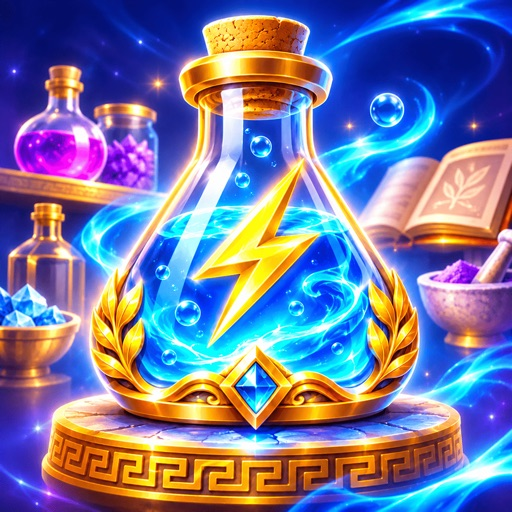
A lab bench in your pocket. Follow production orders, measure every unit, and let quality control grade your ratio, color, texture and process.
Three ways to open the lab. Copy a code, then head to the download.
Codes are page selections for this download guide. Pricing, in-app purchases, age rating and any offer terms are set by the App Store listing and the app itself. The app name carries an 18+ label; confirm eligibility before installing.
Every session starts from a production order. The order sets a recipe, target properties and requirements, and your job is to hit them with the ingredients on the shelf. In Blue Fizz, the shelf holds Clear Base, Blue Essence, Red Concentrate and Bubble Agent, each with its own stock count.
Control is numeric. A units selector with minus and plus buttons sets the pour size, Pour adds the selected ingredient, and Drain removes liquid you overshot. Two vertical gauges report state live: SMOOTH tracks mixing quality against an orange target tick, while VOLUME reads out against a 100-unit capacity. A PROGRESS bar shows how far the order has advanced.
Pressing Submit sends the batch through quality control. The score is split into Ingredient, Ratio, Color, Texture and Process Accuracy, then rolled into one Final Quality percentage. A clean Blue Fizz run lands four categories at 100% and Process at 88%, which still produces 98% and the PERFECT label. That granularity tells you exactly which habit to fix on the next attempt.
| App name | Liquid Chaos |
|---|---|
| Platform | iOS, App Store (German storefront) |
| Store ID | 6836235336 |
| Category | Education |
| Genre | Creative mixing simulator |
| Version | 1.1 |
| Game modes | Recipe, Mystery Mix, Speed Challenge |
| Lab categories | Beverage, Color, Cosmetic, Slime & Gel, Automotive |
| Collection size | 30 products |
| Store rating | None yet |
| App size, OS requirement | Not listed in our data; see the App Store page |
| Data checked | 26.11.2026 |
Colors, textures and liquid effects change as you combine ingredients, so each pour gives instant feedback.
Every order brings a recipe, target properties and requirements. You are graded against a spec, not a guess.
Beverage and Color are open first. Cosmetic, Slime & Gel and Automotive wait behind lab-level gates, and the store text promises more.
Five accuracy bars plus one Final Quality figure show exactly where a batch lost points.
Turbo Mixer, Vortex Mixer, Precision Dropper with a 1-unit pour step, and Graduated Flask change how precisely you work.
Undiscovered slots show a question mark and "Not created yet". Fill them one order at a time.
iOS, App Store. Pricing is shown on the store page, and installation follows the standard App Store download. Your first Blue Fizz is a few pours away.
Download Liquid Chaos Requires an iPhone or iPad with App Store access. Ads and in-app purchase details are not listed in our data, so check the store page. The app name includes an 18+ label; verify the official age rating on the listing.